Forum Discussion

Goibs
Jul 06, 2021Copper Contributor
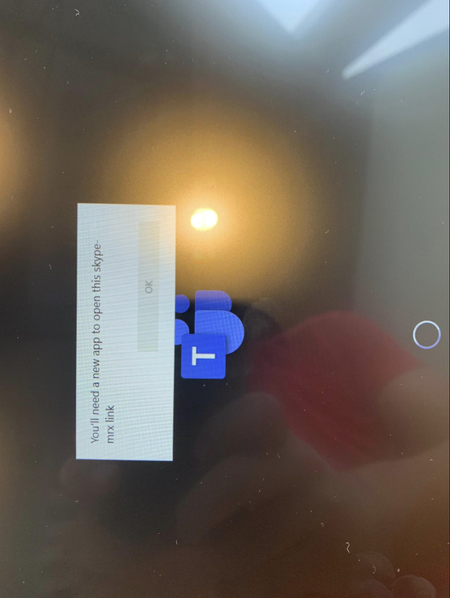
Microsoft Teams Room MTR - you'll need a new app to open this skype-mrx
Intel NUC with Logitech TAP Error you'll need a new app to open this skype-mrx The popup is blocking the MTR from signing in, its currently happening on 2 devices, will troubleshoot and update, ...
 Jun 09, 2022There was a poster named RGaray would posted a solution that fixed the problem for me but it looks like his post was removed. The solution he recommended which worked for me was to:
1. Log in as Admin, open the MS store app and run all of the updates for all apps.
2. Elevate the Skype user to the Administrator group
3. Log in as Skype
4. The skype-mrx error will occur. Press CTRL ALT DEL and open Task Manager (you can since Skype is now Admin). You NEED to wait for the Teams Room autorun thing to "timeout" give it a few minutes. When the screen goes black you will see the task manager.
5. Run a new task - shell:AppsFolder
6. Run the Teams Room app.
7. It appears to set itself as default for skype-mrx. Reboot and test.
8. Remove Skype from the Administrators group.
Jeffrey_Lukaszeski
Jun 09, 2022Tin Contributor
There was a poster named RGaray would posted a solution that fixed the problem for me but it looks like his post was removed. The solution he recommended which worked for me was to:
1. Log in as Admin, open the MS store app and run all of the updates for all apps.
2. Elevate the Skype user to the Administrator group
3. Log in as Skype
4. The skype-mrx error will occur. Press CTRL ALT DEL and open Task Manager (you can since Skype is now Admin). You NEED to wait for the Teams Room autorun thing to "timeout" give it a few minutes. When the screen goes black you will see the task manager.
5. Run a new task - shell:AppsFolder
6. Run the Teams Room app.
7. It appears to set itself as default for skype-mrx. Reboot and test.
8. Remove Skype from the Administrators group.
1. Log in as Admin, open the MS store app and run all of the updates for all apps.
2. Elevate the Skype user to the Administrator group
3. Log in as Skype
4. The skype-mrx error will occur. Press CTRL ALT DEL and open Task Manager (you can since Skype is now Admin). You NEED to wait for the Teams Room autorun thing to "timeout" give it a few minutes. When the screen goes black you will see the task manager.
5. Run a new task - shell:AppsFolder
6. Run the Teams Room app.
7. It appears to set itself as default for skype-mrx. Reboot and test.
8. Remove Skype from the Administrators group.

anacruzc
Jun 16, 2022Copper Contributor
This solution worked like a charm! I fist restored the system but the issue came back.
So Followed This solution but I did not have teams app installed. so I installed teams app first from MS store and then followed all this steps and it fixed the problem!
So Followed This solution but I did not have teams app installed. so I installed teams app first from MS store and then followed all this steps and it fixed the problem!