Forum Discussion

Microsoft Teams – “You need a paid subscription to use Microsoft Teams”
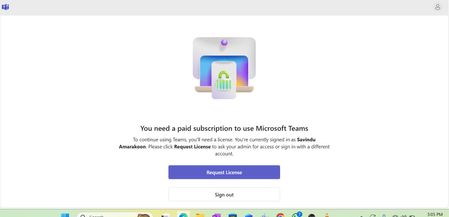

This message usually means that Teams hasn’t properly recognized your assigned license, even though it’s active in Microsoft 365. It can happen when the Teams app is caching old authentication data or when the license assignment hasn’t fully synced across Microsoft’s backend systems. The best next step is for your admin to remove the Teams license, wait a few hours, and then reassign it from the Microsoft 365 Admin Center, this often forces a proper refresh. You can also try signing out of all Microsoft accounts on your device, then signing back in to the Teams desktop app using only your work account. If the problem continues, open Teams web (teams.microsoft.com) and check if it works there, if it does, the issue is local to the desktop app and clearing or deleting the Teams cache again after a full sign-out usually resolves it. If neither works, your admin can run a PowerShell sync command (Set-MsolUserLicense) to make sure your license is active and propagated. It’s not uncommon after recent Teams updates, so hopefully, a quick license refresh will fix it.
------------------------------------
Don't forget to mark as solution if my answer suits you
 jlVVJan 28, 2026Copper Contributor
Hello! I have the same problem.
I have Microsoft 365 Business Standard with users in the tenant. Each user signs in and receives the notification:
"You need a paid subscription to use Microsoft Teams. You are signed in as [ ], but this account currently doesn't have a Teams license. Click Request license to ask your administrator for access or sign in with a different account."
In theory, by inviting my employees they should have access to Teams, however, they cannot.How can I resolve it?