Forum Discussion

Link to recording from Live Event is missing
 May 06, 2021
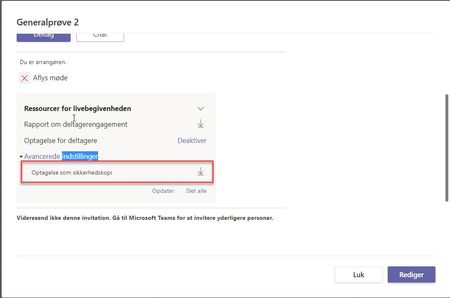
PiatnaI do not know where the update (to read it) is, but I do know that I tested this out again yesterday. When I go to my Teams calendar, I used to click on the two arrows to maximize the event and then the download details would appear on the left. Now, when I see the invite, I have to double click on it, and then the download information appears. Its such a tiny thing but that's what made them appear for me.

Did they help you to find the video? I have the same issue. We also had live event on April, 9.

Now, for other days recordings are working, but for past 9 April isn't appear(
 Per_DamsgaardApr 14, 2021Brass ContributorYou need to be an administrator to do that. In Office 365 administration there is a button for support. It didn't worked for me so I googled a phone no. And there created the ticket for me.
 Peter LindénApr 14, 2021Copper Contributor
This is the answer I got from MS Support yesterday:
I checked with the Team and got to know that the cause of the issue have been discovered and that has been already taken care of yesterday. Any Live Event from now on will not be having that issue. But furthermore the Team now trying for the old Live Events that got effected due to.
The fastest way to report an incident is by placing a Support Request in the Microsoft 365 Admin Center. https://admin.microsoft.com/#/homepage
- PiatnaApr 14, 2021Copper Contributor