Forum Discussion

Library switching removed
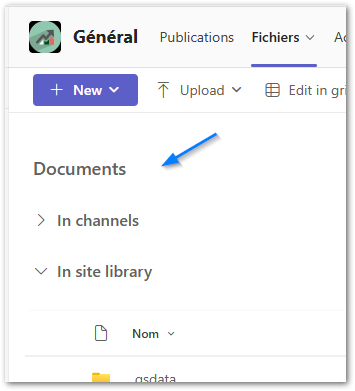

Yes, the library switcher (the dropdown that let you jump between document libraries from the main channel in Teams) has been removed in the newer Teams experience. And no, Microsoft has not provided any detailed technical explanation for why this feature was removed.
As a workaround, instead of opening the SharePoint site every time, we used the Add Document Library option in Teams. By adding each library directly into the Files tab, all the library links appear across the top, and navigation becomes smooth and user‑friendly.
These links will not appear in the SharePoint site. They are only visible inside Microsoft Teams. When you add document libraries using Add Document Library in the Files tab, the links are created specifically for the Teams interface and do not sync back to the SharePoint site’s navigation.
If my post solved your issue or answered your query, please mark it as a Solution and give it a Like.