Forum Discussion

How to prevent members from deleting Cloud Storage links?
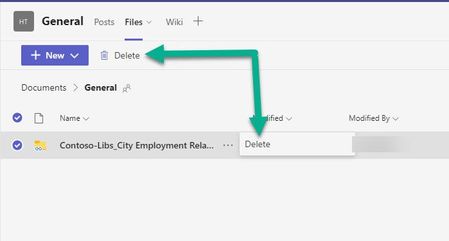

File permissions are done at the site-level, so staff being able to add, edit and delete content from the "Files" tab/SharePoint document library is by design.
Option #1 - Training and Awareness: Inform and remind your staff to NOT delete these items. If people are deleting shared files arbitrarily, then it's time to reign in that behavior.
Option #2 - "Alert Me" in SharePoint: You can opt-in for notifications when someone deletes files and folders from SharePoint.
Option #3 - Setup Files in a New Document Library:
It's possible to break the (site) inherited user permissions of a Document Library from "Library settings", allowing you to assign more restrictive permissions to files and folders.
After inherited permissions are broken, you can remove "EDIT" permissions from group members and guests.
Do your homework before rolling this out to your production environments!
- vasco365Jul 18, 2022Copper ContributorThank you for the thought out response. Unfortunately, what is recommended here doesn't apply to the cloud storage links in the Teams client. Even if you created the cloud links to another SP document library, they dont show up in SP Site if you select "open in sharepoint". While you can lock down read/write access to the site, none of the resolves the ability to remove those cloud storage links in Teams.
