Forum Discussion

Guest user cant chat
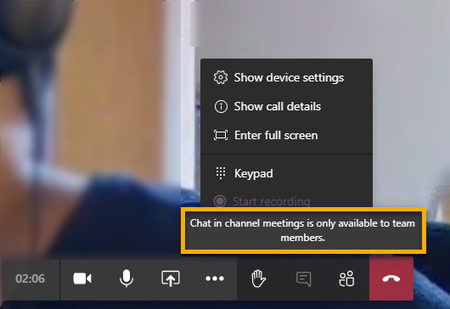
- Dec 27, 2020Your adding guests to your meeting not your team. When you use a channel as a meeting only members of the team can use chat.
So you either need to add the guest to your team itself which gives them access to all channels etc. they will have to switch to your tenant before joining the meeting in order to chat or your gonna have to create meetings not attached to a channel for the guest / external user to utilize chat in the meeting.


Hi aarohbits
Thank you for your post. I am a fellow Microsoft Teams user.
Is the guest user using the web app or desktop? If the guest is joining the meeting from web, then it seems this is a known issue that has been reported to the Product team at: https://microsoftteams.uservoice.com/forums/555103-public/suggestions/40446082-allow-people-who-join-from-web-into-a-meeting-to#:~:text=Currently%2C%20if%20you%20%22join%20from,just%20members%20of%20a%20Team.
If the user is using the desktop app, I will recommend he/she upgrade to the new Teams meeting features - select profile pic and choose settings and tick the box for 'turn on new meeting experience' it requires restarting Teams so right click the teams icon and 'quit' then reopen Teams.
Hope this helps.
Regards