Forum Discussion

Paul_Hetherington
Dec 01, 2021Copper Contributor
Error when opening file in Teams Browser
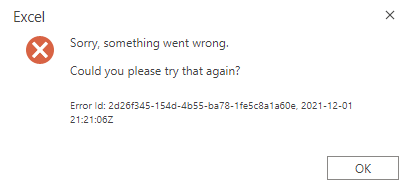
When I try to open a file within teams, I get the below message with an error I can't find anything about online. Is anyone else having this problem / know how it can be fixed? Our current workaround...

Paul_Hetherington
Dec 01, 2021Copper Contributor
It's this specific file, other files are fine. I cannot open it in excel online either, it only works in the app. It does have macros, but they've been there and working fine since before this error occurred. I created a test file and entered a replica macro, and that opened up fine in excel online & teams.
It is as if the Microsoft gods have specifically chosen to smite our most critical file.
It is as if the Microsoft gods have specifically chosen to smite our most critical file.

Dec 01, 2021
Sounds like someone made an edit it doesn't like somewhere. Or an update to the online viewer messed it up. I would look into version history back a version or so and see if it opens online. If it does, then you know someone added something in there recently that caused the hiccup or if it's on office online bug.
You could also always try save as to a new file with different name or something just to see if it matters at all, doubtful, but you never know, maybe something cached on the file that's messy.
You could also always try save as to a new file with different name or something just to see if it matters at all, doubtful, but you never know, maybe something cached on the file that's messy.