Forum Discussion

Henry Edwards
May 27, 2020Brass Contributor
'Copy Link' for Folder/Files does not work in Teams
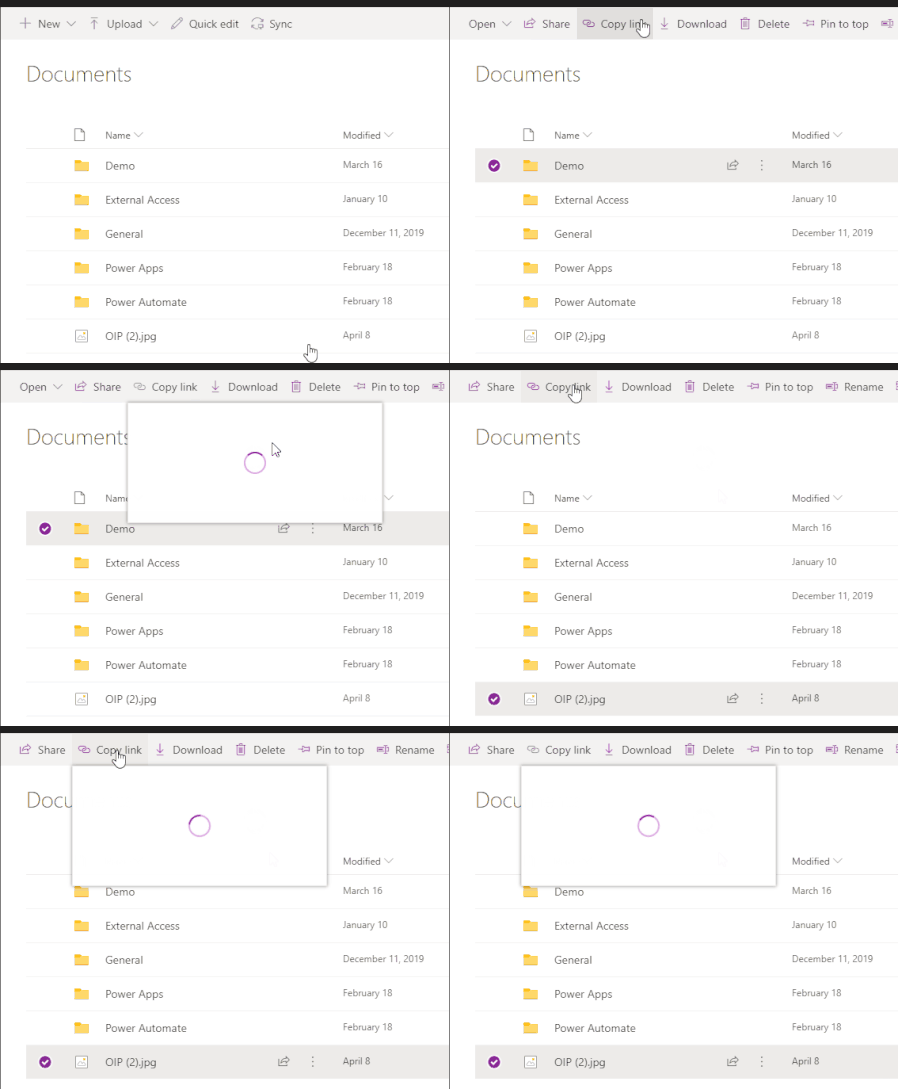
When you access a document library using the website/SharePoint tab and click on 'copy Link' the dialog opens up and has a spinning circle constantly, doesn't load.
 Jun 13, 2022
Great
It works for me as well!!!
Strange thing is mine updated 8th of june but only today it workedYesterday I thought, how can this still be possible as I had this issue for a very long period of time
(opening the Team in SharePoint the copy link always did work as workaround)
but happy now 🙂

Florisz
Dec 22, 2021Brass Contributor
Well Sign Out Everywhere did not do a thing for the 'Copy link' spinning wheel problem in Microsoft Teams Desktop app on Windows 10. The problem is still there/back. I say back because couple of days ago it was working partly for links to files and folders under the root 'Documents/General'. See screenshots in my previous post.

Ohh_Werd
Dec 23, 2021Copper Contributor
Had a user with this error today, any link he copied did the same as everyone has described, Spooled and never loaded.
User cleared cache etc.., no change
Had user turn off setting Disable GPU hardware acceleration (requires restarting Teams)
Once teams came back up he had the option to copy links again.
- FloriszDec 23, 2021Brass ContributorI can confirm that after disabling GPU hardware acceleration under general settings in Microsoft Teams Desktop and after signing out from Teams Desktop and signing in again, that the Copy Link works again on the subfolders only.(as I had posted before). So still not working on root folder and also not giving the option for the link within Teams. Only SharePoint link is offered.
After re-enabling the GPU hardware acceleration under general settings in Microsoft Teams Desktop again, signing out and signing back in the Copy Link option is still working.
So this triggers something(temporarily)...- Ohh_WerdDec 28, 2021Copper Contributor
- BShipeDec 28, 2021Iron ContributorSo before the holiday last week, the Sign Out Everywhere route had worked for me. I came back into the office this week and Copy Link was broken once again.
I attempted to disable GPU hardware acceleration, sign out of Teams, and re-open Teams + sign back in with no luck. Copy Link is still broken.  Paul_IQPCDec 23, 2021Brass ContributorFlorisz - as I am only using teams recently could you just confirm that it was possible to link to inside teams previous to this fiasco and now it is only sharepoint - cheers
P- FloriszDec 23, 2021Brass ContributorPaul_IQPC
See link below with screenshot how it used to be. In this screenshot is the option for edit/view and for who the link will be accessible already missing.
https://techcommunity.microsoft.com/t5/microsoft-teams/teams-get-link-dialog-missing-can-t-get-a-teams-link/td-p/1869197

