Forum Discussion

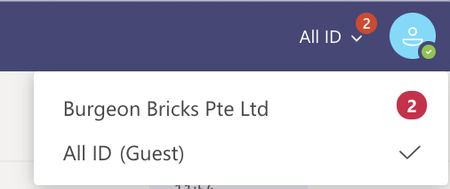
Confusing Notification
 Jun 25, 2020
jameshoty Hey James, thanks for the feedback! Sound promising at least. The location for Mac is
~/Library/Application Support/Microsoft/Teams

- VasilMichevJun 24, 2020MVP
The numbers are rarely, if ever, correct. But at least it gives you a hint that you have *some* missed activities in the other tenant 🙂
- ChristianBergstromJun 24, 2020Silver Contributor
VasilMichev jcgonzalezmartin Thanks for the input (haven't experienced it myself). Such an excellent feature these cross-tenant notifications seems to be 😉
 jameshotyJun 24, 2020Brass Contributor
- ThereseSolimenoJun 25, 2020Former Employee
Hi jameshoty A tenant refers to a unique organization. Think of a company or school as a tenant and within that there are several Teams, within the Teams there are channels, etc. Does that help?
- ThereseSolimenoJun 25, 2020Former Employee
Hello jameshoty jcgonzalezmartin
Hmm, are you saying this is a known Mac issue? Because when I click on either icon at the top of the community page (I'm using Windows 10), I can see all of my posts or private responses and I have the option of deleting them, thus getting rid of the numbers if I choose.

