Forum Discussion

Spudgun
Jul 08, 2021Brass Contributor
App Setup Policy not being applied for one user
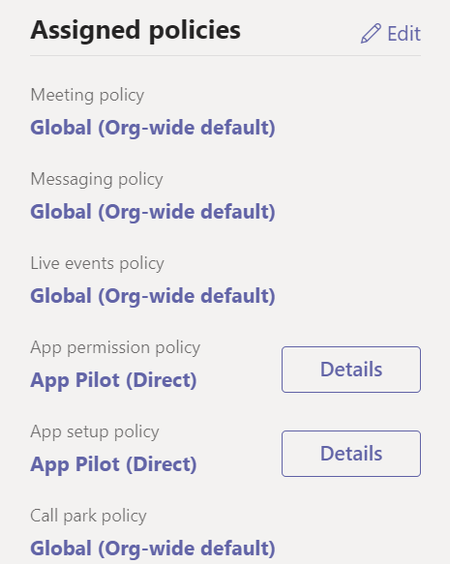
I'm stumped. I won't lie. Hoping someone can tell me the stupid thing that I've missed here. I have an App Setup Policy to enable Viva/SP Home Site in Teams. I've placed it at the top left, above Act...
- Jul 14, 2021Let's just give at least 48h for the propagation time and then check if everything is 100% or not. If not, really seems the issue is with this specific user so I would advice you to open a case for the Premier Support and from my experience, the case will be escalated internally to check the back-end. Any help needed, please reply me back !

pedro_salvador_gomes Microsoft
Jul 08, 2021MicrosoftSpudgun hey ! did you allowed the propagation time to end? it's very common for that to happen and we sometimes forget about the propagation time (it can take almost 48 hours to apply).
 SpudgunJul 09, 2021Brass ContributorYep. Been working on this (minor but annoying) problem all week now
- pedro_salvador_gomesJul 12, 2021Are the 2 users added in Active Directory? If they are the exact same and you are applying the same policy, this seems the stranger issue I ever saw! Can you try to add a 3 user and see the result?
- SpudgunJul 14, 2021Brass ContributorYep, I tried a third user as well and it worked fine.
Since the last post, after another removal and re-add to the policy seems to have worked, although still not perfectly. Now the app is available to the user - he's able to pin the app to the side bar, but the Setup Policy hasn't taken effect because it's not in place permanently at the top where it should be. I'm now just waiting to see what happens. *shrug