Forum Discussion

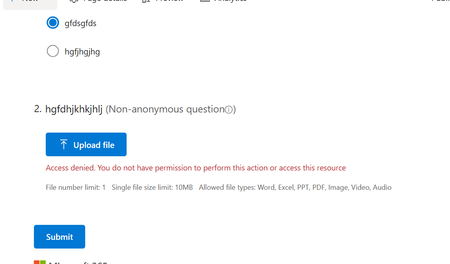
Guest users cannot upload file

Hi!
In short, external and guest users cannot upload files to Microsoft Forms, so you will need to use a different approach.
A bit more details:
When you add a File Upload question to a Microsoft Form, the system automatically changes the form's sharing settings to "Only people in my organization can respond" or "Specific people in my organization can respond". Behind the scenes, a folder is created in OneDrive or SharePoint to collect these files. When a user uploads a file, the form uses their internal credentials to save the file directly to that folder.
Because external and guest accounts do not have the same native storage routing and permissions as internal tenant members, the underlying SharePoint/OneDrive architecture rejects their upload attempts. This results in the "Access Denied" or "You don't have permission" errors.
Unfortunately, even if external users are granted direct access to the destination library, they still won't be able to upload files through the form. This is a fundamental, hard-coded limitation of how Microsoft Forms works.
There are three workarounds you can try out:
- Power Pages is a good option if you're already familiar with it.
- A request files link from OneDrive/SharePoint, included in the form. The con: the uploaded files won't be matched to the form responses.
- A request files link + a Flow. When uploading, users are prompted to enter their first and last name, so if you also ask for their name on the form, you can match files to responses. Even then, you can't fully rule out cases where someone uploads attachments without submitting the form, or vice versa.
If you need something more straightforward, take a look at third-party tools integrated with SharePoint, for instance, Plumsail Forms.
Best Regards,
Margo
Plumsail team