Forum Discussion

Can't Publish an Agent inside Copilot Studio for Teams
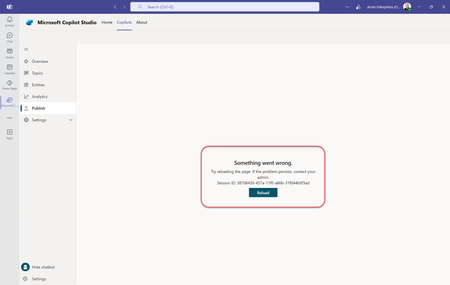

Hey Paul, I have tried to export and improt my agent into another environment, It worked fine, and it was Published succefully, I think there might be a permissions issue with the Admin, however MS devs might not have scripted the error message yet, again, that's just a personal opinion, the workaround, is try to export the agent and import it into different environment, Best of Luck

Did you import it into a Teams based environment or a regular environment? It works in a regular environment. It doesn't work in a Teams environment from the Teams Copilot Studio app. I just heard back from someone on the Team at Microsoft that this is a known issue they are currently working on. They hope to have a resolution soon.
- Metto1992Jun 12, 2025Copper Contributor
answeing to your question, The Environment is Not Teams based
- Metto1992Jun 12, 2025Copper Contributor
I had to open it on the web copilot page, there only the export option apeared, then it took me to the agent soultion page, expoted it unmanaged and downloaded it, then from the web copilot studio page, I changed to my orgnization default environment, then from the import option, selected the downloaded zip folder, then it was imported to the default environment, then it was published successfuly
I am glad you could've reach Microsoft team, because I can't reach my org Admin to take this step, Thank you for the good news, I hope it's resolved soon