Forum Discussion

UAC during OOBE (after switching from Admin to Standard user in Windows Autopilot)
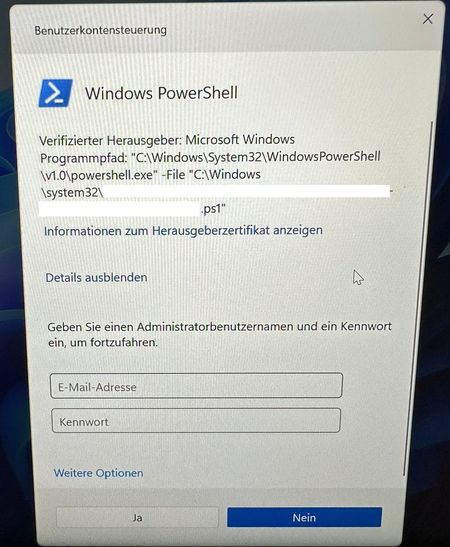
- May 22, 2024it must be an app or powershell script.. so if you are noticing that that policy being mentioned in the ime.. there must be an app being downloaded /executed just before.... Use cmtrace to look at the ime log ..


Not 100 percent sure how you deploy your script but do you have the option "Run this script using the logged on credentials" set to 'yes'? This might cause this behaviour:

- NicklasOlsenMay 21, 2024Iron ContributorWe can't see the name of the script, but is this something related to a application you are deploying in your ESP?
- KirilMay 22, 2024Steel ContributorThe script name is a GUID, there is no actual information about any application. How could I debug this behavior?
- SebastiaanSmitsMay 22, 2024Steel Contributor
When in ESP go to Powershell (using sift f10 to open cmd en open powershell by typing 'Powershell'). Set excution policy to bypass ('set-executionpolicy bypass') You can download/install the Autopilotdiagnostic script (see here). I mostly use the community version because it has more features.
Install the script with the following line: 'Install-Script -Name Get-AutopilotDiagnosticsCommunity'
I forgot if the community version includes the online option by default but to get the translation from GUID to Name you need the online option. So try run the script with the following line: 'Get-AutopilotDiagnosticsCommunity -online'
