Forum Discussion

Entra ID LAPS and BitLocker on Hybrid AD–Joined Devices
- Dec 18, 2025
Hi dilanmic
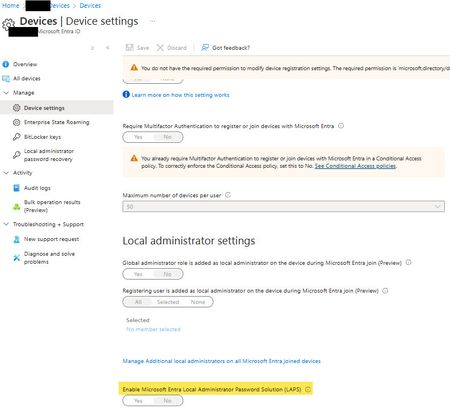
Enabling Windows LAPS in Microsoft Entra ID (cloud LAPS) won’t change or “touch” BitLocker. LAPS and BitLocker are two separate features.
LAPS backs up (and rotates) a local admin password to Entra ID, while BitLocker backs up recovery keys to Entra ID. Enabling the Entra LAPS toggle just enables the service/UX for storing and recovering LAPS passwords, it doesn’t modify BitLocker recovery key objects or your BitLocker policy/escrow flow.
So in your scenario (Hybrid AD–joined, BitLocker still configured by on-prem GPO, keys already escrowed to Entra ID):- Existing BitLocker keys in Entra ID remain as-is.
- Future BitLocker configuration/escrow stays governed by your BitLocker management (GPO in your case) unless you also start deploying BitLocker policy from Intune (that’s the only place you can introduce “interaction”, by double-managing BitLocker, not by enabling LAPS).
Only “dependency” to be aware of: for Entra-joined devices, Intune notes you must enable LAPS in Entra to use LAPS there; for hybrid-joined devices, that requirement doesn’t apply in the same way.


Both are separate from each other. But just like BitLocker, you will need to configure LAPS settings as well. I’ll suggest to leverage Intune to configure both if the devices are enrolled.