Forum Discussion

R0chdle
Sep 07, 2020Copper Contributor
Multiple contacts on iOS
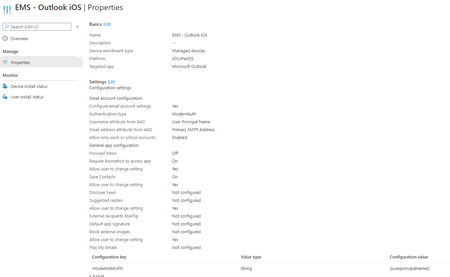
Hi All, We've recently migrated our company end-users from Exchange on-premise to O365. Everything went well and the Outlook for iOS app switched without any further issues after pushing the new...

Moe_Kinani
Sep 07, 2020Bronze Contributor
R0chdle,
I expect the user is saving Corporate contacts on his/her ICloud account, try to export ICloud Contacts->remove duplicate entries ->import to ICloud again then sync Contacts from Outlook.
Moe
I expect the user is saving Corporate contacts on his/her ICloud account, try to export ICloud Contacts->remove duplicate entries ->import to ICloud again then sync Contacts from Outlook.
Moe
- olastromSep 10, 2020Brass Contributor
+1 on this!
When I've encountered this a few times (or the contacts missing/not being removed as expected) it's usually due to the users having corporate (or all contacts) saved to iCloud or locally, and not Outlook.
Try turning of the sync contacts on the affected device and see if the contacts are still there. By doing that you could pin-point where the contacts are and take actions as suggested by Moe.
