Forum Discussion

Able to configure email settings in Outlook for Android is gone/missing?
 Jun 15, 2020

Rakibrahman The configure email settings are still available if you use Enrollment type: Managed apps.
https://docs.microsoft.com/en-us/exchange/clients-and-mobile-in-exchange-online/outlook-for-ios-and-android/outlook-for-ios-and-android-configuration-with-microsoft-intune#deploying-configuration-scenarios-with-microsoft-endpoint-manager-for-enrolled-devices
- eglocklingJun 10, 2020Steel Contributor
Rakibrahman If you are also targeting users with an app protection policy, the behaviour may be affected by this setting.
"Note: If an App Protection Policy is targeted to the users, the recommendation is to deploy the general app configuration settings in a Managed Apps device enrollment model instead of using Managed devices. This ensures the App Configuration Policy is deployed to both enrolled devices and unenrolled devices."
- RakibrahmanJun 10, 2020Tin Contributor
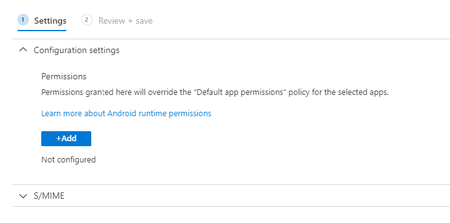
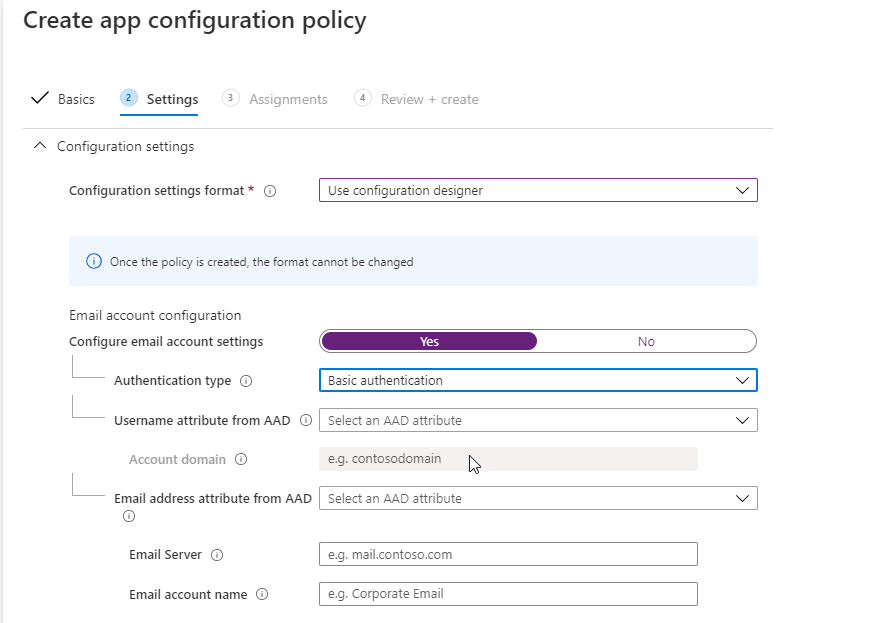
Thanks for taking the time to help. I just can't see where I can configure e-mail settings here:
Email server, username, modern auth and so on. We want our users to use Outlook and not gmail/nine that you can configure from configuration profiles.
 CarlosHrndzJun 12, 2020Copper Contributor
I am also experiencing this issue. I don't think the MAM will work. There is a lot of contradictory information within the Documentation. One thing is clear though, account setup is only available through enrolled devices (Managed Devices Application Config Policy)
https://docs.microsoft.com/en-us/exchange/clients-and-mobile-in-exchange-online/outlook-for-ios-and-android/outlook-for-ios-and-android-configuration-with-microsoft-intune
Outlook in the managed play stored seems to be missing support for managed configuration. Here is what Teams looks like:
And here is outlook