Forum Discussion

Rob-CTL
Jun 27, 2018Iron Contributor
User name change, updating Office applications?
Hi, In the past changing a users name i.e. they got married was a hassle but things are getting better. I've been doing some testing to see what still doesn't work or at least needs tweaking. In...
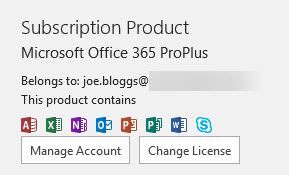
- Jun 27, 2018
The issue with Outlook is a "known" one, if you want the new name to be displayed you need to recreate the profile. It's actually connected to the primary SMTP, not the UPN, but same story: https://support.microsoft.com/en-us/help/3040795/smtp-address-in-user-s-profile-doesn-t-change-when-primary-email-addre
For Office activation, you can reset it as detailed here: https://blogs.technet.microsoft.com/odsupport/2015/05/01/how-to-reset-an-office-365-install-to-the-initial-activationinstall-state/


Deleted
Jun 27, 2018The Outlook one is finicky and usually won't update without a new profile and haven't seen or heard about a way to fix it directly.
The login name in 365 might be due to UPN still needing updated in Office 365? Suprised your logins work with the new login without changing that unless you are using passthrough auth or ADFS.
Can you go to this user in 365 admin portal and see what the login name is set to there?
The login name in 365 might be due to UPN still needing updated in Office 365? Suprised your logins work with the new login without changing that unless you are using passthrough auth or ADFS.
Can you go to this user in 365 admin portal and see what the login name is set to there?

Rob-CTL
Jun 27, 2018Iron Contributor
I was as surprised as you re the logins, but it looks like the more recent versions of AD connect actually deal with it properly now. No need for additional powershell…..which is nice :)