Forum Discussion

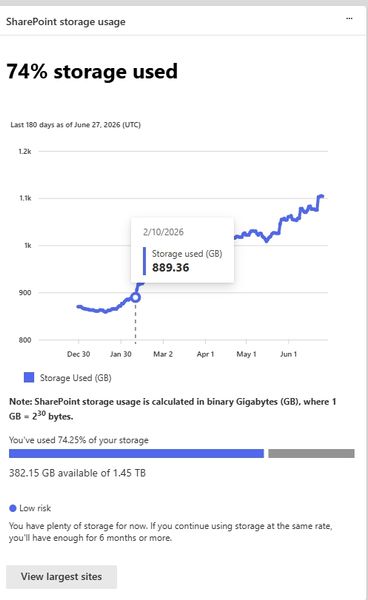
Sharepoint storage space
- Jul 02, 2026
Hi Mitica, for storage totals start in the SharePoint admin center under Active sites, where you can sort by storage used. For who uploaded what each day, the better place is Microsoft Purview audit search, filtering SharePoint file upload and file modified activities by date and user. Site usage reports can also help spot the biggest libraries.


Use Microsoft 365 admin center > Reports > Usage > SharePoint > Activity to export daily, per user file activity, but this reports file counts rather than uploaded GB. For file level details, search Microsoft Purview Audit for SharePoint upload and sync upload activities, then export the results to CSV. There is no built in report for daily uploaded GB per user, so calculating that requires combining the audit export with each file’s size through Microsoft Graph or another reporting tool. Audit log activities | Microsoft Learn