Forum Discussion

Sharepoint Online Office Template library
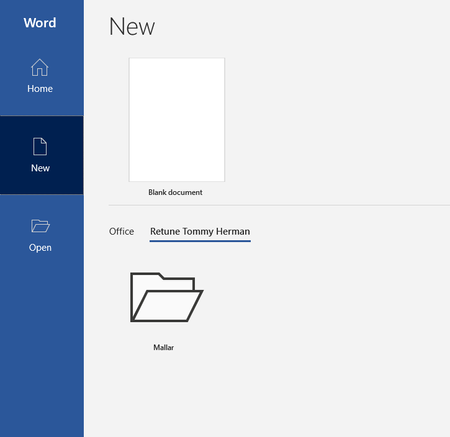
 Oct 15, 2020
Mystery solved!
The presentation of templates have been updated in newer Office versions, I was on semi-annual channel om my testmachine and office version 2002. But after switch to montly channel v2009 the templates are shown without an initial folder. Also tested insiders channel, version 2010, and the behaviour has not changed from v2009.

Hi Tommy,
I had a support case with Microsoft recently that directed me to your post as it was very similar behavior.
I am currently on the monthly channel, version 2104 and I have issues with the Office Templates being stored in SharePoint.
I did make an intune policy to hide the "Office-provided templates" (see attachment) and configured the "Add-SPOOrgAssetsLibrary -LibraryUrl https://[tenant].sharepoint.com/sites/assets/templates -OrgAssetType OfficeTemplateLibrary". Which works as expected (I placed the templates on the root of the Sharepoint document library, so I never see the folder issue like you had)
The issue is when that there are no "Office-provided" templates, I would expect to see the templates as soon as a user clicks on the "New" section (making the templates 1 click away), but It doesn't show any templates.
To see the templates, I need to tell the users that they need to:
1- Open word
2- Go to "New" (which shows nothing the first time)
3- Click on "Home" (or some other screen)
4- Go to "New" again.
The second time they see the "New" screen, the templates magically pop-up as intended (see screenshot).
I am able to replicate this issue in different versions of office (I am on "Current" update channel but most users are on "Monthly Enterprise Channel").
It seems like a bug, but I was told this was "by design".
Do you experience the same?

We're experiencing the exact same issue!