Forum Discussion

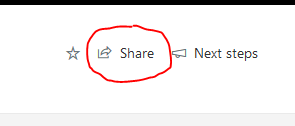
remove the share option for users with read only access to SP sites
- Sep 13, 2019
No, out of the box option for this but I would recommend looking at creating a custom script. Take a look at this scenario - https://support.bindtuning.com/hc/en-us/articles/204448249-How-can-I-hide-the-Office-365-SharePoint-2013-suite-and-ribbon-bars-for-anonymous-users- FrankGriffin

No, out of the box option for this but I would recommend looking at creating a custom script. Take a look at this scenario - https://support.bindtuning.com/hc/en-us/articles/204448249-How-can-I-hide-the-Office-365-SharePoint-2013-suite-and-ribbon-bars-for-anonymous-users- FrankGriffin
- Sep 14, 2019You can go to the access request setting in the site and configure it so the site or documents cannot be shared outside of the site
 FrankGriffinSep 16, 2019Brass Contributor
hi, I went to Access Request Settings and unchecked the the box next to Allow members to share the site and individual files and folders, the share option is still there for all users.
- Sep 16, 2019Correct, but by doing that you have limited the Sharing scope: Sharing can only be done with people that access the site
