Forum Discussion

Office 365 Signature is not working on Windows software
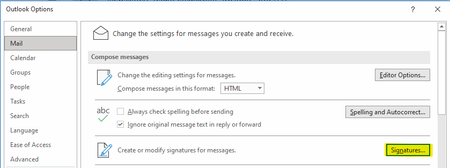

Hi Thanks for your question. Actually Outlook usually experiences problems while adding signatures. In addition, Outlook doesn't support adding and managing HTML signatures which might result in the improper display of signatures on different devices. Outlook versions also keep changing and older versions of Outlook usually face these type of issues. You might be able to apply a patch and get it working, but that's only a temporary solution.
If you are looking for a permanent workaround solution, I recommend you to use Sigsync https://www.sigsync.com. We had faced similar Outlook issues with our business email signatures and then switched over to Sigsync. One big advantage of Sigsync is that it allows you to add company-wide signatures without installing anything. You can manage all your signatures online under one centralized dashboard. Another thing about Sigsync is that you can design or import HTML signatures from scratch or directly use one from the template gallery.
I list out some of the features of Sigsync if you are interested to know more about how you can use that
1) Uniform HTML email signatures across all devices and email clients
2) Add different signatures to reply and forward emails
3) Centrally manage signatures from a neatly designed Dashboard
4) You can embed One-click Surveys, Analytics, QR codes, Social Media links in your email signature
5) Always have the latest signatures and banners even if your contact details change.
6) Sigsync Signature Outlook Add-in allows you to configure, preview and add signatures in real-time.
Visit https://www.sigsync.com for more information
Sigsync email signature for Office 365