Forum Discussion

No automatic replies option in Outlook OWA - Office 365
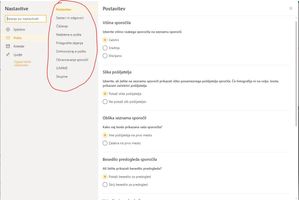

pvanberlo There are 2 roles. The first one has all checked, the second one doesn't (I don't know what it is).
If I go to mailbox properties of specific user, under the mailbox features it looks like this:

djur0 OK, any chance to check if either one of them has changed the management roles which removed the ability to set the auto reply?
- djur0Aug 31, 2021Copper ContributorWhats the best way to check it ? I dont know how.
- pvanberloAug 31, 2021MCT
djur0 This level of detail is only available while using Exchange Online PowerShell. The fact you have two sets of user permissions, regardless of which one is applied, seems to indicate someone has changed something, somewhere.
After setting up Exchange Online PowerShell and connecting (instructions here), you can use the command I mentioned earlier to check the individual management roles. Just run the script below and check the output. You'll want to check if whatever is in the Role column at the bottom is also in the output at the top. So for example, if the bottom says it found this role entry in the MyBaseOptions role, this role should also be listed in the assigned roles. This should get you started anyhow.
Write-Host "Getting Relevant Assigned Roles"
(Get-RoleAssignmentPolicy).AssignedRoles

Write-Host
Write-Host "Listing All Role Entries For Set-MailboxAutoReplyConfiguration"
Get-ManagementRoleEntry -Identity "*\Set-MailboxAutoReplyConfiguration"