Forum Discussion

creating user without license for Sharepoint
- Nov 23, 2018Hi Charles,
It is 100% legal per the official article here
https://docs.microsoft.com/en-gb/sharepoint/external-sharing-overview?redirectSourcePath=%252fen-us%252farticle%252fManage-external-sharing-for-your-SharePoint-Online-environment-C8A462EB-0723-4B0B-8D0A-70FEAFE4BE85
Hope that helps,
Best, Chris

Thanks for the point out. I interpreted the question as the invitation and ‘creation’ of an external guest account into a SPO site - not the actual creation of a user on the domain through the admin centre. These external guests usually have EXT on the UPN.
Apologies, will try to be more specific next time!
Best, Chris

Hmmmm... Guest users are guest users whether they are created using the Azure AD portal or created by an application as the result of a user extending a sharing invitation (SharePoint) or to join a group (Teams, Planner, Office 365 Groups). The end result is an Azure AD account marked as a guest. These accounts don't need to be licensed to access resources in a tenant. They do need licenses (1:5 ratio to tenant accounts, but this is not enforced) when Azure AD premium features are used (like dynamic groups), but that doesn't come into play if the accounts are used for SharePoint document sharing.
See https://docs.microsoft.com/en-us/azure/active-directory/b2b/licensing-guidance
- Nov 26, 2018Tony: He did say he created a user not a guest account but you are def. correct. That's why I said B2B user setup, I could have been a little more clear.
Anyway, Charles-Andre those are regular users from the looks of it. Check out Tony's article about B2B users. The easiest way to Share SharePoint content is to just use the Share links on the page or on specific documents / folders and you don't have to worry about the specifics, but since you already have created the user in your tenant it'll make it hard because of the e-mail match. You'll have to do some clean up of the account and give it some time to clear out, or manually set up the guest account in azure ad portal.azure.com then go back and add them to the resources. - BenSteginkNov 26, 2018Steel Contributor
Charles,
So I guess the question is, were you creating them as "guest" users in your tenant in or as "normal" users in your tenant? Guest users, no license is required as Tony mentioned; normal users, a license is required if you're looking at the legality of it :)
- Charles-André BélangerNov 26, 2018Brass Contributor
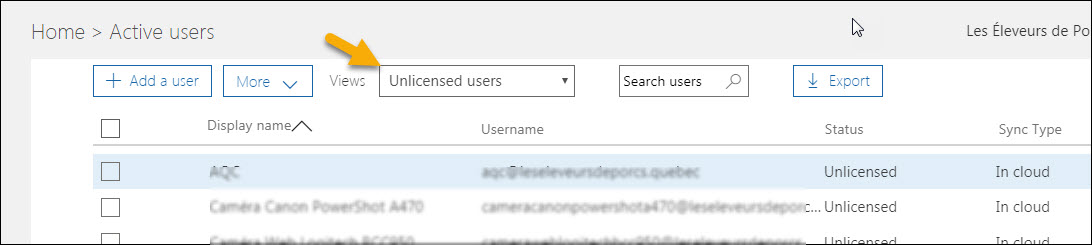
Or where to look for it after it was created: