Forum Discussion

In "Per-user multifactor authentication" I disabled MFA for one user; All got disabled
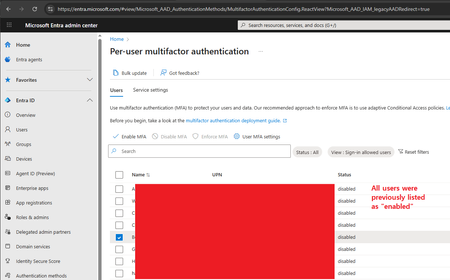

The behavior you encountered is a recognized limitation of the legacy Per-user MFA management page in Microsoft 365. Although the interface allows you to select an individual account, the “Disable MFA” action may inadvertently affect all users in the tenant. This occurs because per-user MFA is an older mechanism that does not consistently function as expected. Microsoft now advises administrators to manage multifactor authentication through Conditional Access policies, which provide more reliable, granular, and supported controls than the per-user portal.

Thanks for the reply, and fair enough. But in that case it's odd that the legacy page is 1) still accessible via the admin console, and 2) buggy in production.
I'll use the other mechanism going forward, though.