Forum Discussion

XLOOKUP search w/multiple output
- Feb 27, 2026
A macro/VBA routine probably could be used to place data in the white fields. Formulas put data in the space with the formula. Just as yours does now. But once a formula has been written, it's good to go. I personally don't like to use (and don't) macros, preferring by far to write formulas.
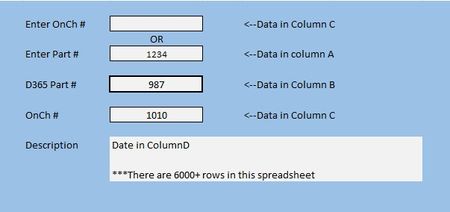
Without knowing how this is going to be used over the longer term, I'd revise it slightly to make clear that data entry is only in the yellow background cells (a useful convention to adopt). Right now it's set up so you can enter things in either or both. You may run into problems from time to time as it appears that some of your numbers are entered as numbers, others as text. To be consistent, given the variety of formats of D365 numbers, you should keep them all as txt.


As an additional option,
=LET(
lookupValue, IF(H9<>"", H9, H7),
lookupColumn, IF(H9<>"", A2:A10606, C2:C10606),
XLOOKUP(lookupValue, lookupColumn, B2:B10606, ""))