Forum Discussion

Within exported file, how to move subtotals over a few columns to align properly?
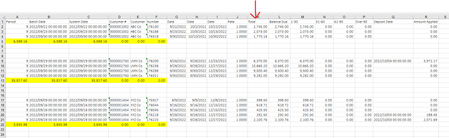

That didn't work, but, dahhh, I should have thought of that. What am I doing wrong!? The values would only be 1-12 (for the periods/months), so I would think anything > 12 to use as filter, yet it doesn't work. Any ideas?
I am re-attaching the file with more data so you can see it doesn't work.

The filter is not considering all rows of data because of the intermittent blanks. First, clear the filter. Next, select the entire columns encompassing the data, then apply the filter. The custom filter should now see all your data.
- TeresaSmagsOct 05, 2022Tin Contributor
Yes, I knew that it was due to the empty rows since it only shows the first 3 rows of data, but I've tried selecting all data (a few different ways), yet it still shows only those first three. What the heck am I doing wrong? Did you try it yourself on the file?
- Patrick2788Oct 05, 2022Silver Contributor
I think a short scripted macro is the best way to go, now that I see this workbook.
I've attached the workbook with the macro 'MoveSubtotals'. I've run it here and it works.
- TeresaSmagsOct 05, 2022Tin Contributor