Forum Discussion

ld
May 02, 2023Tin Contributor
VLOOKUP with IF and partial match
I'm working on automating some tracking spreadsheets that are all connected with Power Query. I have one query loaded to a sheet ("All Status" in formulas) that I am trying to reference on the main t...
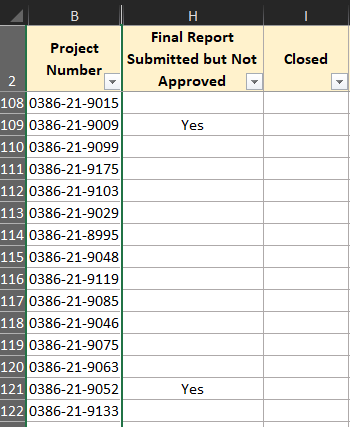
 May 02, 2023
=IFNA(IF(OR(ISNUMBER(SEARCH("Under Review",VLOOKUP(B3,'All Status'!A:F,5,FALSE))),VLOOKUP(B3,'All Status'!A:F,5,FALSE)="Submitted"),"yes",""),"")=IFNA(IF(OR(ISNUMBER(SEARCH("Under Review",VLOOKUP(B3,'All Status'!A:F,5,FALSE))),VLOOKUP(B3,'All Status'!A:F,5,FALSE)="Submitted"),"yes",""),"")
This formula returns the intended result in my sheet.
OliverScheurich
May 02, 2023Gold Contributor
=IFNA(IF(OR(ISNUMBER(SEARCH("Under Review",VLOOKUP(B3,'All Status'!A:F,5,FALSE))),VLOOKUP(B3,'All Status'!A:F,5,FALSE)="Submitted"),"yes",""),"")=IFNA(IF(OR(ISNUMBER(SEARCH("Under Review",VLOOKUP(B3,'All Status'!A:F,5,FALSE))),VLOOKUP(B3,'All Status'!A:F,5,FALSE)="Submitted"),"yes",""),"")
This formula returns the intended result in my sheet.
 ldMay 02, 2023Tin ContributorThis worked for me too. Thank you so much, I've been at this for hours so your help is greatly appreciated!!