Forum Discussion

VBA Split Data by Columns + Formatting
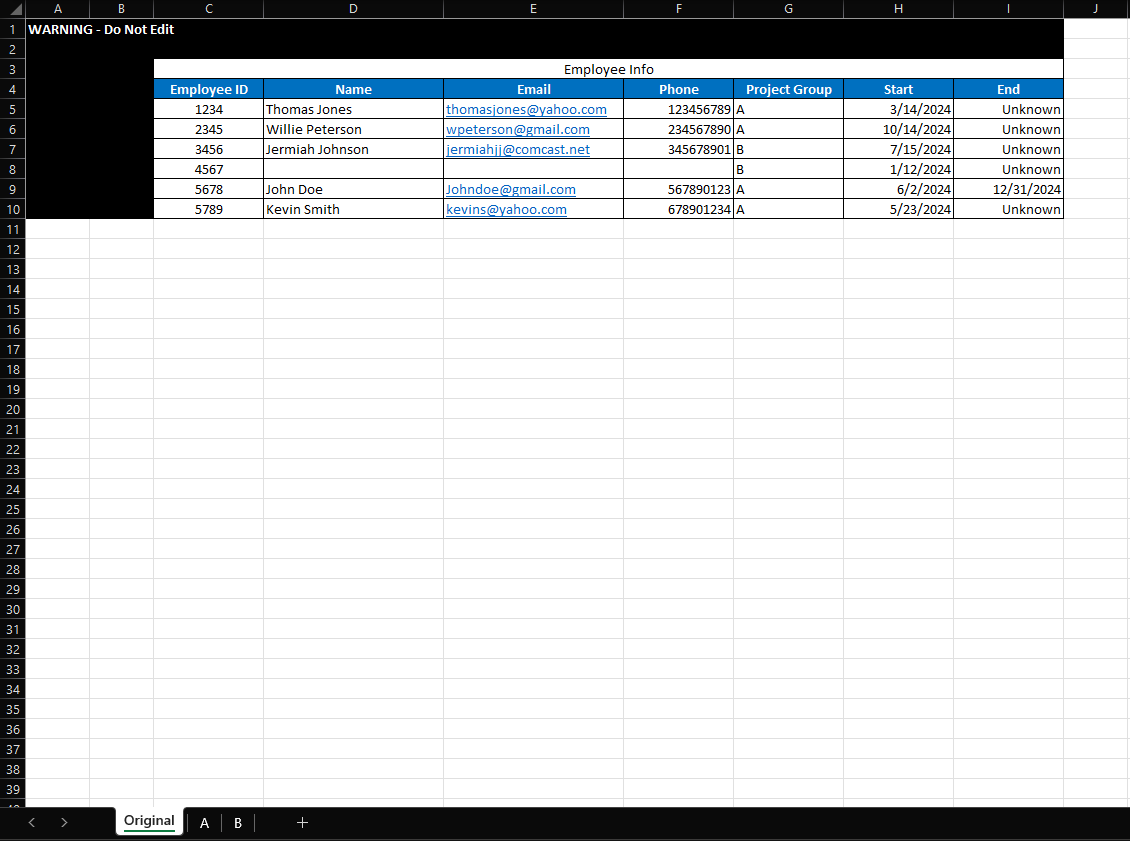

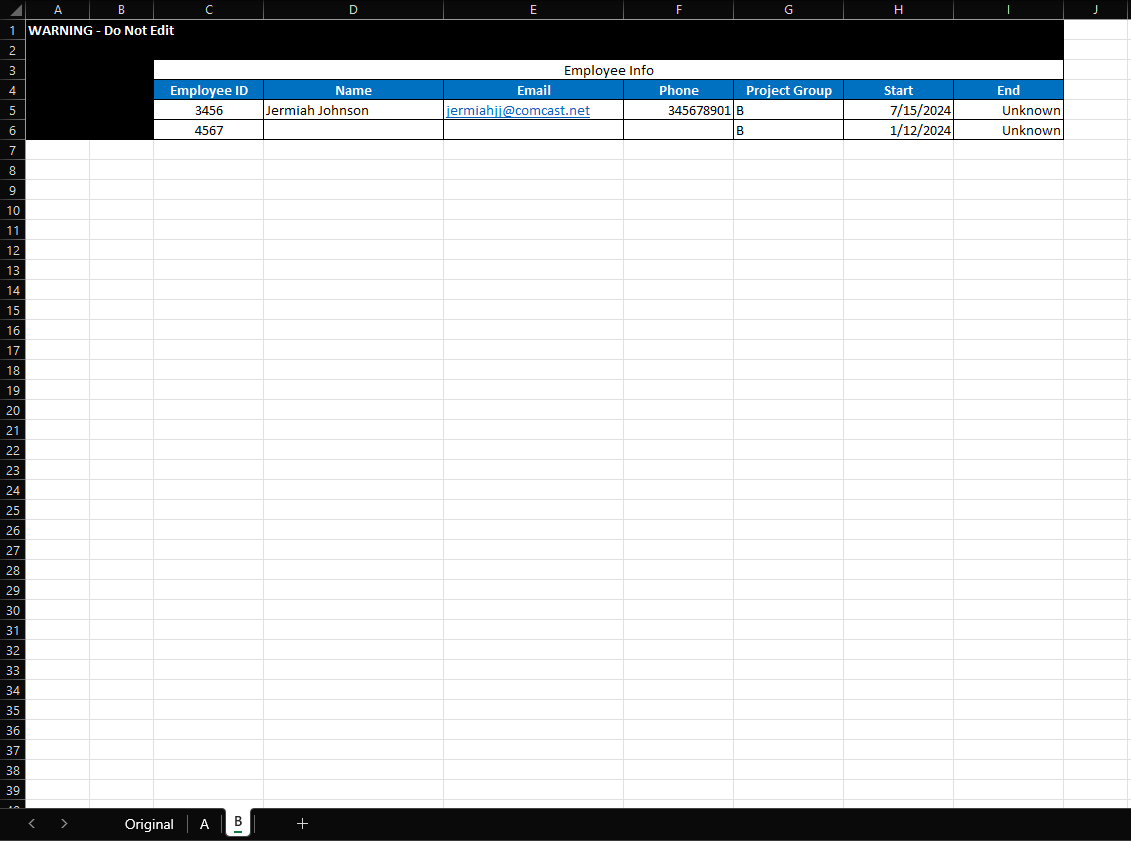

Compl9x From looking at your screen shots, it seems that this will be very easy to do with Power Query, and then you'll simply be able to press Refresh All whenever you have new data that you want to split into A and B sheets.
The general process is:
1. Select a cell in the source table, then go to the Data tab and press the From Table/Range button to bring the data into Power Query.
2. Set up the query to get rid of any rows that you don't need, such as empty rows.
3. Promote the top row to headers, if needed.
4. Right-click on the query and choose "Reference". This will create a new query that gets data from the first query.
5. In the 2nd query, set it to filter the Project Group column so it keeps only A values.
6. Repeat step 4, then set the 3rd query to filter for the B values.
7. Rename the queries as appropriate.
8. Click the Close and Load button.
You should end up with 2 new sheets. One with the A records, and one with the B records. Apply the formatting to those sheets so they have the look you want.
When you have new data on the Original sheet, you can just go to the Data tab and press Refresh All to get the new data split onto the other sheets.
 Compl9xOct 15, 2024Copper ContributorYes; however, due to the amount of tables I have, I was just looking for VBA code to reduce the amount of manual work each time. I used to have a VBA that split data by column without formatting, but it stopped working and I can no longer find it.