Forum Discussion

Using Names for cell references and would like to streamline things
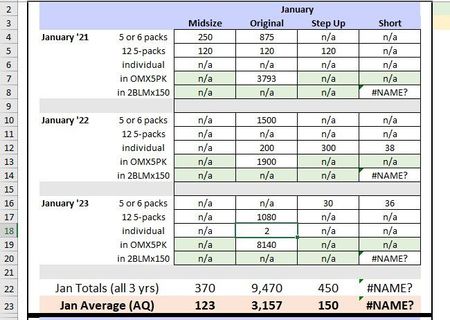

Your description of using named variables sounds like more maintenance effort than is necessary, but without details (like a sample workbook), I can't offer recommendations on that.
It seems that you are replacing Excel's #N/A errors with text "n/a" values manually. But that change of value can probably be done in the formulas, using Excel's ISNA function (which, unlike the ISERROR function, is specific to this type of error). So your updated formulas could be like:
=LET( result, <your_current_calculations>,
   IF( ISNA(result), "n/a", result )
)

Hi Snowman, Thanks for the good advice. I'm sure that the way I'm doing it is not the most efficient, but as I said, it's the only way I know how. I'm not a programmer, I'm a retired editor who answers phones part time for this small company and have nothing to do but wait for the phone to ring. So I volunteered for this project. The fact that it's time consuming and dull is nobody's fault but my own.
Now I will use my time to better advantage and learn about ISNA and whatever the next suggestion is! I needed a launch point for my education, and you guys got me there. Thank you so much!
Amy