Forum Discussion

AmyDetjen
Jan 22, 2024Copper Contributor
Using Names for cell references and would like to streamline things
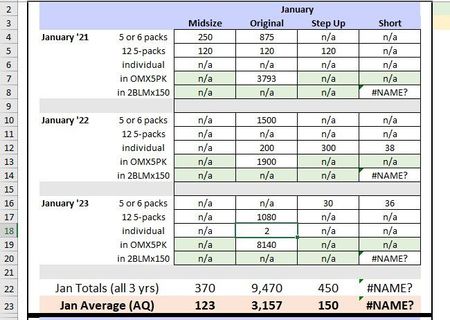
Hello! I'm pulling a ton of sales data together for my small company. I'm using the NAMES function (mostly because it's the only way I know how to do this efficiently). I have coded all the appro...

Riny_van_Eekelen
Jan 23, 2024Platinum Contributor
To stick to your original question:
"Here's my question. Is there any way to get Excel to ignore the errors without me having to manually change each error to "n/a"."
Use the IFERROR function like this:
=IFERROR( your_formula, "n/a")
Now, having solved that, I really wonder why you chose this way of naming each month/product combination. If you have all your sales information in a single table you can easily extract, filter and/or summarise it by product, by customer, over time, whatever. You could use pivot tables, Power Query, Power Pivot or other built-in functions. Everything you do now seems very manual.