Forum Discussion

Oscar_Philips
Jun 13, 2025Copper Contributor
Using filter to populate cells from the bottom up.
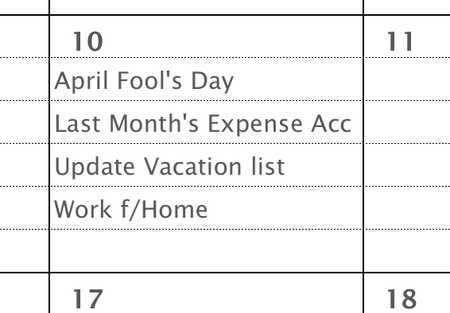
I am using filter to populate calendar day cells from the top down, but would like to populate from the bottom up (see below), but would rather fill the cells in from the bottom up. A calendar day c...
- Jun 14, 2025
I think they want that day to fill from the bottom up so building on Sergei's:
=LET(
  f, FILTER(Dates!$H$4:$H$37,Dates!$G$4:$G$37=DAY(H9),""),
  r, 5,
  c, TAKE(VSTACK(f, EXPAND("",r,1,"")),r),
  SORTBY(c, SEQUENCE(r),-1 )
)
note this will also automatically clip the list off if there are more than r (i.e. 5) rows of items found so you won't get #SPILL ERROR!
If you want to have an indication that the list was clipped you can use:
=LET(
  f, FILTER(Dates!$H$4:$H$37,Dates!$G$4:$G$37=DAY(H9),""),
  r, 5,
  c, IF(ROWS(f)>r,VSTACK(TAKE(f,r-1),"[>"&r&" found]"),TAKE(VSTACK(f,EXPAND("",r,1,"")),r)),
  SORTBY(c, SEQUENCE(r),-1 )
)


HansVogelaar
Jun 14, 2025MVP
Do you mean that you would like to display the results in reverse order? If so:
=SORT(FILTER(Dates!$H$4:$H$37,Dates!$G$4:$G$37=DAY(H9),""), 1, -1)
Or do you want the results to start in H11 instead of H10?