Forum Discussion

Davidm54
Feb 25, 2021Brass Contributor
using Embed as formula/referencing Objects
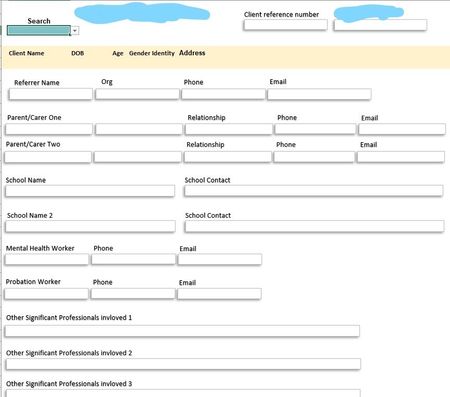
I'm having to build a basic client database, and want to have running client notes from a word doc appear at the bottom of the below page. All the small text boxes on the top screen cap currently...

JKPieterse
Mar 01, 2021Silver Contributor
You need some VBA code for that I'm afraid. Which also implies you need the name and path to the Word file in the source data you're currently using to display the other information. Do you have that information? Perhaps you can post an example workbook with no sensitive data in it?

Davidm54
Mar 01, 2021Brass Contributor
Hmmm, I suspected as much. Thanks. Given how and where it'll be used, really trying to avoid VBA.
(IT has macro etc turned off by default for most users, I've never dived into what specifically happens if I start sending around xlsm files to folks without macros turned on, but I'd rather not use any VBA or macros.)
If I'm still stuck and it is definitely wanted by the folks using it, I shall return and go down that route.
(My next question is around amount of text a text box can hold. As it appears to be less than I thought!)
(IT has macro etc turned off by default for most users, I've never dived into what specifically happens if I start sending around xlsm files to folks without macros turned on, but I'd rather not use any VBA or macros.)
If I'm still stuck and it is definitely wanted by the folks using it, I shall return and go down that route.
(My next question is around amount of text a text box can hold. As it appears to be less than I thought!)
- JKPieterseMar 02, 2021Silver ContributorWhat about simply including a hyperlink to the Word doc? That way people can click the link if they need to see more information.
- Davidm54Mar 02, 2021Brass ContributorYeah, that will be default. Was just hoping to have a neat running notes section within the spreadsheet.