Forum Discussion

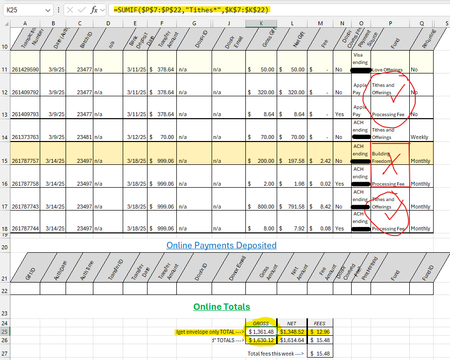
use SUMIF for cell in immediate row above
 Mar 21, 2025
I recommend use of the SUMIFS function instead (note the S on the end). See the attached workbook.

To sum the amounts in column G based on specific conditions in column B, you can use the SUMPRODUCT formula. The goal is to include amounts where the description starts with "Tithes" or where the description starts with "processing" but only if it is directly below a "Tithes" entry.
The formula checks for these conditions by analyzing the first few characters in each cell. It first looks for entries that begin with "Tithes" and adds them to the total.
Then, it checks if a cell starts with "processing" and is located right below a "Tithes" entry. If both conditions are met, the corresponding value in column G is included in the sum. The SUMPRODUCT function is used to multiply the resulting matches by the values in column G and then sum them up. Make sure to adjust the cell ranges in the formula to match your actual data
 BeckyBo334Mar 24, 2025Tin Contributor
Thank you for explaining. TBH, it's a little above my excel knowledge. :(
I've found an answer though. Thanks again for taking the time for me, I really do appreciate it.