Forum Discussion

Updating Sheet Name References after Changing Sheet Name
 Sep 11, 2022
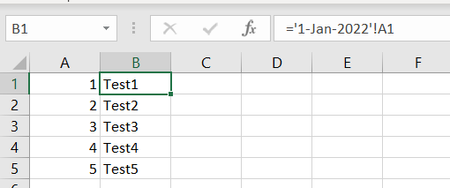
I do understand that when using sheet name references under normal circumstances, the formula does re-write itself if you change the sheet names. But you can see here that after I change the names to Feb, if I use the INDIRECT function to call the sheet references, the formula doesn't automatically change.
I've found a work around using find and replace, it should be all good now. Though if you have a simple solution that doesn't need find and replace, I'd be open to hearing it.

Hi Tony, I don't understand the problem at all. When the table names are changed, the existing references to these worksheets are also dynamically rewritten. You don't have to do anything yourself.
If I have misunderstood your problem, please write again.
I do understand that when using sheet name references under normal circumstances, the formula does re-write itself if you change the sheet names. But you can see here that after I change the names to Feb, if I use the INDIRECT function to call the sheet references, the formula doesn't automatically change.
I've found a work around using find and replace, it should be all good now. Though if you have a simple solution that doesn't need find and replace, I'd be open to hearing it.
- dscheikeySep 12, 2022Bronze Contributor
The information that you use INDIRECT() slipped through.
Question: You write that the information for the summary is always in other cells. That makes it all the more incomprehensible that you use INDIRECT(). But maybe there is a reason I don't know.
Instead of search and replace, you could of course write the part with the sheet name in your formula in a cell to access it dynamically. That way you only have to change it in one place.- Tony_NguyenSep 12, 2022Tin Contributor
I used INDIRECT because if I wanted to do something like '1-Jan-2022'!A1 (excuse me if the syntax isn't 100% correct). It would automatically update when I changed the sheet names. But I would need to manually write the formula for Jan 2, Jan 3, Jan 4 etc. I would stick with the '1-Jan-2022'!A1 if there was a fast way to do it for all of the dates for January.
- dscheikeySep 12, 2022Bronze Contributor
So my opinion: If the spreadsheets already exist and you rename them, then you should do the work and reference the cells directly. I have also given you an example in the attached document of how you can implement this very quickly. You can first build the direct referencing as text. You can do this with the help of formulas. Then copy the function result as text into another cell. Then the formula does not work at first. However, you can change this for all cells at the same time by using the menu command Text from Columns. Then your formulas are ready and you can use them. After renaming the worksheets, you do not have to do anything else. The formulas will automatically re-reference themselves.
If you need the indirect referencing because the spreadsheets are not created until you have already built your formulas, you can use my second example in which only the month is still built into your indirect formula.