Forum Discussion

Unable to edit source list in data validation in Excel
Hello,
I have a created a drop down list in Excel 2016 and would like to edit the source list. However, when I go the source list under the data validation type and try to move across the list, it puts a cell reference there. Has anyone else had this problem. I may just not know what I am doing as this is the first time I have created a dropdown list in Excel.
Thank you,
Linda
Hi,
When you go to the Source box in the Data Validation and you want to edit it, you need to switch to the Edit mode.
The default is the Enter mode as the below screenshot:
Just press F2 to switch to the Edit mode so that you can move the cursor without inserting any cell references.
Hope that helps
4 Replies
 Haytham AmairahSilver Contributor
Hi,
When you go to the Source box in the Data Validation and you want to edit it, you need to switch to the Edit mode.
The default is the Enter mode as the below screenshot:
Just press F2 to switch to the Edit mode so that you can move the cursor without inserting any cell references.
Hope that helps
 RStepovichFormer Employee
I'm using the F2 key, it looks like it works, I save it, refresh everything and my typo is still in my drop down list, but it has been 'fixed' in the data validation source list.
 SCriderCopper Contributor
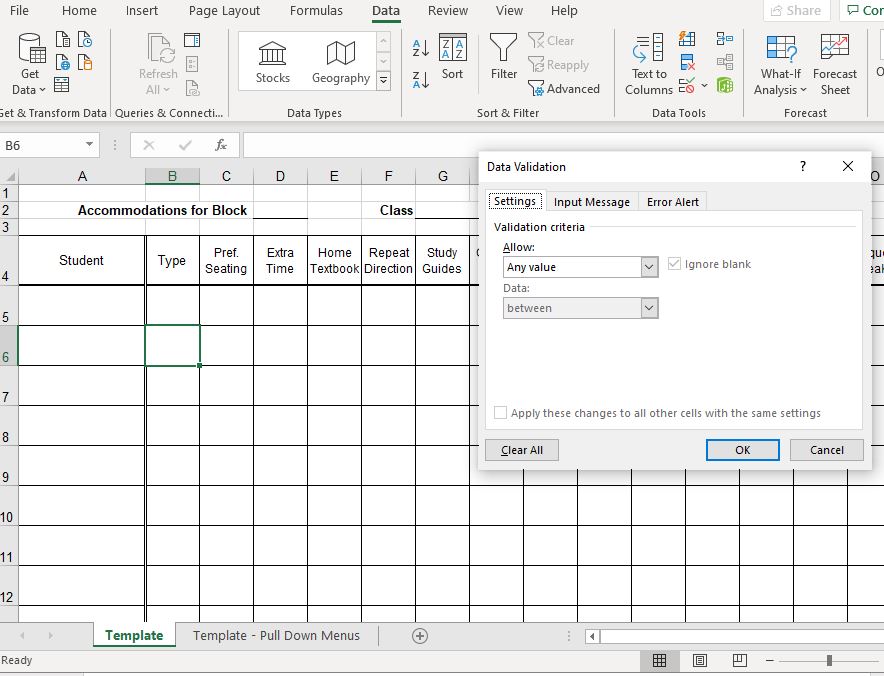
Haytham Amairah I can pull up the validation box, and I can put it in edit mode, but not at the same time. What am I doing wrong? I want to be able to change options in the drop down menus. I added pictures to show my problem.
 smo4142Copper Contributor
And Boom..there it is! Thank you so much, I don't know that I would have every found that tip anyone. It worked perfectly!
Best regards,
Linda