Forum Discussion

Timesheet Tracker Help with INDEX/COUNT/SUM functions or alternative
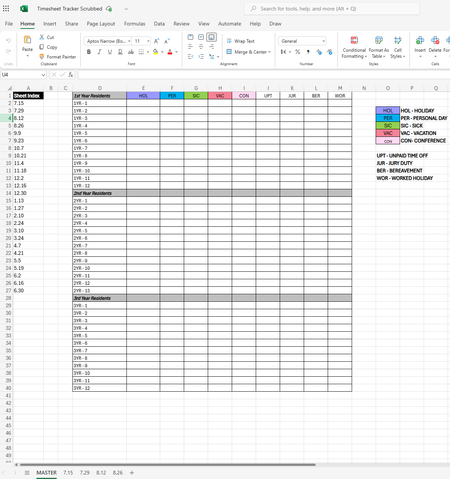
- Feb 10, 2025
Lets try the following formula-
=SUM(--(LET(x,VSTACK('7.15:8.26'!$B$6:$B$44),y,VSTACK('7.15:8.26'!$C$6:$Q$44),FILTER(y,x=$D2))=E$1))


This is definitely a job for Power Query, but it would make it much easier if you adjust the structure of your data a bit. Here are some general steps that you'll need to do, but it will be a little different depending on how you decide to proceed.
- Each time period sheet should have the data in a Table (press Ctrl+T to convert the range into a table).
- In a separate workbook, use Power Query to import from the data entry workbook.
- You can combine the data from all the tables. You'll need to learn some Power Query techniques for cleaning it up, since there are some things you'll want to get rid of, such as the HRS columns and blank columns.
- With the day numbers as column headers, you can select the Employee Name column and choose Unpivot Other Columns. This will give you 3 columns - the employee name, the day number, and the PTO code.
- You'll need to convert the day numbers into the actual dates. You could put actual dates in the column headers, but sometimes it's not easy to work with dates in the headers of Tables in Excel.
Once you get your data into a nice clean format, summarizing it will be easy. And once you have the steps completed in Power Query, it will be easy to repeat or refresh in the future.
 tshprdFeb 11, 2025Copper Contributor
Thank you, Steve! I agree and considered Power Query as well, but since I inherited 3 workbooks of 26 worksheets each, some of which the previous users had slight variations to formatting, it felt like it would be more of a headache to navigate. Thankfully, Harun24HR's response came up with a good formula-based solution that seems to be working great; especially once I clean up any discrepancies between the sheets that are affecting it.