Forum Discussion

anupambit1797
Nov 27, 2024Steel Contributor
Text Paring with a "\n" New line char
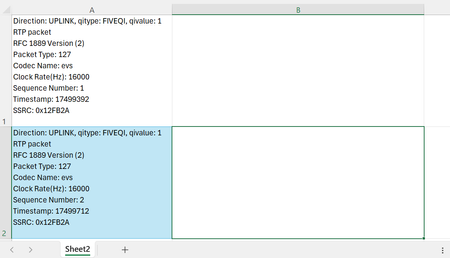
Dear Experts, In the attached sheet, I have data in Column "A" as below:- So, each cell has items separated by a "\n", I want to parse it in a way that all the items with a new...
 Nov 27, 2024
Table it and load into PowerQuery.
Choose to split column on delimiter like this:
#(lf) is for line feed. If you click Insert special character PQ will put in the #(lf) for you.

Rodrigo_
Nov 27, 2024Steel Contributor
Here's my approach:
- Replace New Lines with Another Character:
- Press Ctrl + H to open Find and Replace.
- In "Find what," press Ctrl + J (represents a newline).
- In "Replace with," enter a delimiter like a slash ( / ).
- Click Replace All.
- Use Text to Columns with your chosen delimiter to split the text.
- SergeiBaklanNov 28, 2024Diamond Contributor
Ctrl+J works directly in Text to Columns (at least on Windows) if enter in Other on second step.
