Forum Discussion

ElliotDT
Feb 17, 2026Copper Contributor
Tender Tracker formula help
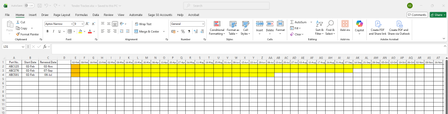
Hello, I am creating a spreadsheet to track tenders for various part numbers so that I can track when each part number is up for renewal. Is it possible to create a formula which based on the tend...

Olufemi7
Feb 19, 2026Steel Contributor
Hello ElliotDT,
Yes, you can do this with conditional formatting. Select the range of cells containing the dates for all part numbers (e.g., D2:AR4). Go to Home → Conditional Formatting → New Rule → Use a formula to determine which cells to format and enter this formula:
=AND(D$1<=$C2,D$1>=TODAY())
Then choose a fill colour and apply. D$1 refers to the top-row date, $C2 refers to the Renewal Date for each part number. This will automatically colour the cells from the start until the renewal date for each row.