Forum Discussion

ElliotDT
Feb 17, 2026Copper Contributor
Tender Tracker formula help
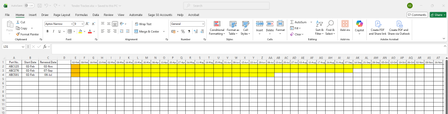
Hello, I am creating a spreadsheet to track tenders for various part numbers so that I can track when each part number is up for renewal. Is it possible to create a formula which based on the tend...

m_tarler
Feb 17, 2026Silver Contributor
Yes, you can use conditional formatting to do this.
Step 1 - highlight the range you want to get highlighted (e.g. F2:AZ4)
Step 2 - select conditional formatting (on the Home ribbon -> conditional formatting -> New Rule...)
Step 3 - select 'Use a formula to ddetermine which cells to format'
Step 4 - in the formula box enter = $C2>=F$1 (note this is based on the upper left cell being F2 and the $ make it so it will always check column C on the same row and compare it to row 1 of the same column)
Step 5 - click format and choose fill color yellow or what ever you choose
click OK