Forum Discussion

Summary of a Sheet
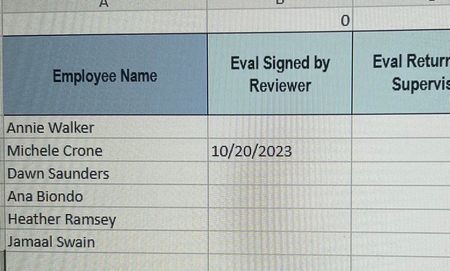

You can use a formula in those (column B) cells. Assuming the source for B3 is D5 on Sheet 7, its formula would be:
=IF( ISNUMBER('Sheet 7'!D5), 'Sheet 7'!D5, "" )(Most of those spaces are optional, but not ones inside a worksheet name; I included the others for improved readability.)
That "weird number" is Excel's internal representation of a date, specifically, the number of days since Jan 0, 1900 (Dec 31, 1899) ... not exactly right because of a design flaw, and it's different with an Excel for Mac workbook, but you need not worry about that. So alternatively you can just apply a custom format to your date column(s) that hides any zeros (and negative numbers, which should not occur) that you generate; for example, m/d/yyyy;;;@
You could use that same custom format in your TEXT function. But the result of a TEXT function is text, which makes for extra work if you boss wants to do date arithmetic or manipulation.
More info on custom formats: Custom Excel number format