Forum Discussion

Hogstad_Raadgivning
Jun 05, 2020Steel Contributor
Sumifs with a dynamic list criteria
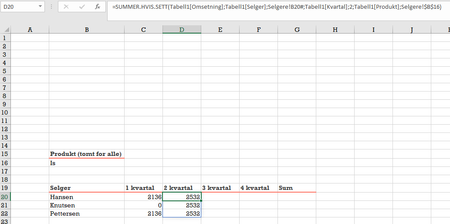
Hi I am trying to use Sumifs ehre one of the criteria is from a dynamic list. It fills down the correct number of rows, but only choose the first item from the dynamic list. Command: =SUMI...

SergeiBaklan
Jun 05, 2020Diamond Contributor
Geir, perhaps you may illustrate on the sample file, not on screenshot what's wrong. Here it looks like works:
File is attached.
- Hogstad_RaadgivningJun 05, 2020Steel Contributor
Hi SergeiBaklan please find attached a copu of the Worksheet, where I try to use an dynamic list,instead of fixed values.
- SergeiBaklanJun 05, 2020Diamond Contributor
I see. Please remove sheet name from the spill reference
when it'll be like
I do one by one it's the same result.
- Hogstad_RaadgivningJun 05, 2020Steel Contributor
The function is correct SergeiBaklan 🙂 I did a double check with fixed values. And they do have the same values. Sorry. I used RANDARRAY to generate numbers. And I did not think it would be some identical numbers there, for the same product.
Thank you for helping.
- Geir
