Forum Discussion

lucasbucholz
Oct 15, 2019Copper Contributor
Stop conditional formatting at the end of the data
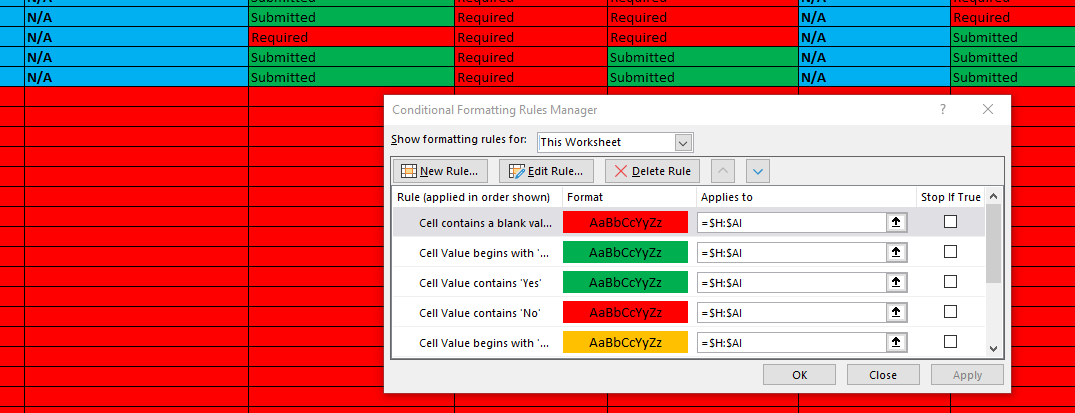
I have conditional formatting on a data set from a power query. Part of the conditional formating is "if a cell is blank" formating. I have this selected for the entire column. Is there a way to stop...

SergeiBaklan
Oct 15, 2019Diamond Contributor
It's better to use conditional formatting rules with formulas. For example, to highlight blank cells in the range $H:$AI and not highlight cells if entire row in this range is empty, formula could be
=ISBLANK(H1)*COUNTA($H1:$AI1)Another topic is that better to follow the rule one "color - one rule", not "one condition - one rule". If to highlight with the same color blank cells and cells with the value "No", above formula could be modified as
=ISBLANK(H1)*COUNTA($H1:$AI1)+(H1="No")