Forum Discussion

Spill Error
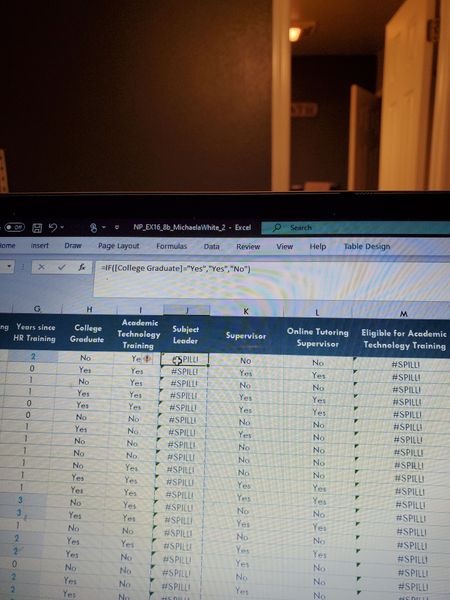

That's since your professor on version of Excel which doesn't support dynamic arrays functionality. Your version supports, looks like you are on Office 365 subscription.
For the formulas like on your screenshot =IF([College Graduate]="Yes","Yes","No") you apply condition to entire column [College Graduate]. Pre-DA Excel silently do implicit intersection and takes only one element form the current row. DA Excel applies formula to entire column and returns an array with results for entire column, such returned array is called spill. Since you are within table, Excel can't return entire spill into only one cell to which formula is applied. Thus you have #SPILL! error.
To avoid it explicitly use formula only for the current row as
=IF([@[College Graduate]]="Yes","Yes","No")which means you take value of Column Graduate only for the column row and apply formula to it. Excel automatically adds formula to all other cells in this column of the table.