Forum Discussion

Excel
Mar 14, 2022Iron Contributor
Sorting a Number
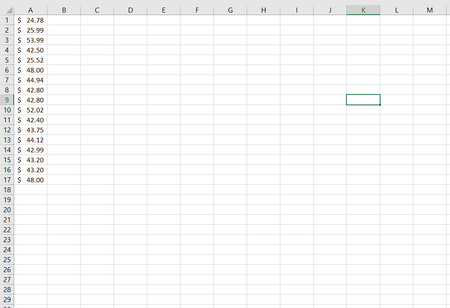
Hello Everyone, I want to arrange the list of amounts in such a way that, $48 comes in the first place and $24.78 goes to the last, basically I want to reverse the list. It should be resul...

Riny_van_Eekelen
Mar 14, 2022Platinum Contributor
Excel The screenshot does not show a reverse list. It merely swapped the first and the last number. If reversing the list is what you want, use this in B1 and fill down:
=INDEX(list,COUNT(list)-ROW()+1)where "list" is a named range referring to A1:A17.

Excel
Mar 14, 2022Iron Contributor
Thank you so much sir.
Yes sir, i want to swap first and last number with the help of formula.