Forum Discussion

aRangerpete
Jan 11, 2022Copper Contributor
Sort decending/acending list with macro
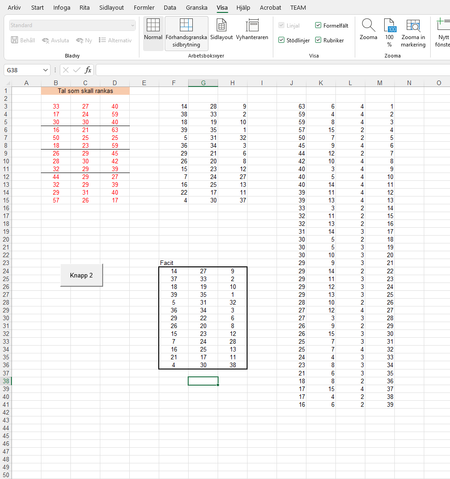
Hello We are trying to do some calculations but something goes wrong. In column J you can see some numbers and in some cells we have equal numbers. We want to sort the numbers in column L and K rela...

HansVogelaar
Jan 11, 2022MVP
Could you attach a small sample workbook or make it available via OneDrive, Google Drive or similar, so that we can experiment?
 aRangerpeteJan 12, 2022Copper Contributor
HansVogelaar does this work?
https://1drv.ms/u/s!Akq4T6vFl0myaQGCGq3ITdP1EeE?e=peaK4L
Best regards
Peter
- HansVogelaarJan 12, 2022MVP
I have downloaded your sample workbook - thanks!
I see the problem; it appears to be a bug in the way Excel handles a mix of ascending and descending sort orders. I don't see an easy solution - let's see if someone else comes up with a bright idea.
- aRangerpeteJan 17, 2022Copper ContributorHansVogelaar
My father found a solution. He found that it is not always enough to change from text to numbers via Format Cells. At first the list was in TEXT-formatted numbers and he changed these with Format Cells for Excel to format them as real numbers, but it was not enough. He had to use a formula called NUMBER VALUE for excel to accept the numbers, if you run the table through that formula it works.