Forum Discussion

mm15151205
Dec 05, 2018Copper Contributor
Search 3rd from bottom, then revert a date depending on a quantity
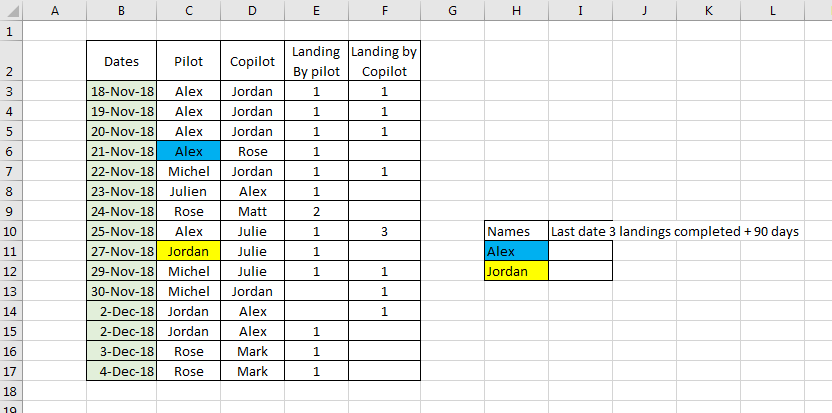
Hello! Here attached is my table. This is a table that get updated every day. Every time the pilot or copilot make a landing, it is recorded. For accuracy, pilots need to complete 3 landings ev...

Dec 05, 2018
Hello,
this would be easier if you attached the workbook instead of a screenshot of the workbook.
Solving this with a formula is extremely difficult because of the arrangement of the data in the different columns. This data table is more like a report than a data input for evaluation.
You need to transform your data into a flat table with columns for date, Name and landings. This can be done with Power Query. Now you can use a formula to return the third last date like this:
=INDEX(landings[date],LARGE(IF(landings[Name]=F4,ROW(landings[Name])-MIN(ROW(landings[Name]))+1),3))
Just add a +90 at the end of this formula to add 90 days.
Here is a screenshot, and I also attach the file with the Power Query transformation.