Forum Discussion

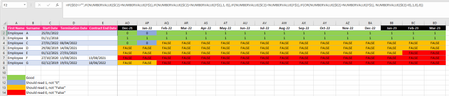
returning a 1 or 0 depending on start and termination dates
- Mar 17, 2023
=(NUMBERVALUE(F$1)<=IF($D2="", IF($E2="", DATE(9999, 12, 31), NUMBERVALUE($E2)), NUMBERVALUE($D2)))*(EOMONTH(NUMBERVALUE(F$1), 0)>=NUMBERVALUE($C2))
Fill down, then to the right (or vice versa)

The part
IF(NUMBERVALUE($C2)>NUMBERVALUE(F$1),IF(NUMBERVALUE($C2)<NUMBERVALUE(F$1),...
makes no sense: $C2 cannot be greater than F$1 and less than F$1 at the same time.
Don't you want to take the termination date into account?

HansVogelaar yes I realised after I posted that there was an additional bit copied that shouldn't be there. I'd like it to be a 1 if they were part of the company that month, and a "0" if they were not, either before or after employment.
I have changed the Code to include letters so I can see exactly which bit it's being pulled from.
=IF($D2<>"",IF(NUMBERVALUE($C2)>NUMBERVALUE(AP$1),"A","B"),IF(NUMBERVALUE($C2)<NUMBERVALUE(AP$1),IF(OR(NUMBERVALUE($E2)>NUMBERVALUE(AP$1), NUMBERVALUE($E2)="C"),"D","E"),"F"))
- HansVogelaarMar 17, 2023MVP
=(NUMBERVALUE(F$1)<=IF($D2="", IF($E2="", DATE(9999, 12, 31), NUMBERVALUE($E2)), NUMBERVALUE($D2)))*(EOMONTH(NUMBERVALUE(F$1), 0)>=NUMBERVALUE($C2))
Fill down, then to the right (or vice versa)
- Tootall22Mar 17, 2023Copper Contributorthat works, thank you VERY much!