Forum Discussion

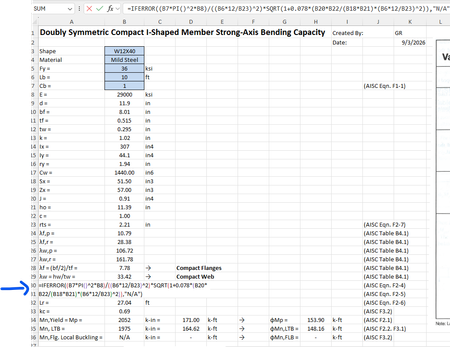
Referenced cells do not identify themselves with color
- Sep 05, 2026
You are entering formulas referencing B6:B8, but Excel is not using colored reference outlines or tokens. Those colors appear only while a formula is being edited in the desktop worksheet, so select formula cell and press F2 or click formula bar; selecting the completed cell will not show edit-time references. Make sure the formula begins with = and test =B6+B7+B8 in a new workbook. If colors work there, the issue is workbook- or add-in-specific. If they remain black everywhere, confirm that you are using desktop Excel rather than Excel for the web, then disable add-ins and restart Excel. Test the default Office theme and Windows contrast settings, because accessibility color choices can affect visual cues. Repair Microsoft 365 from Installed apps if the behavior persists. There is no supported worksheet setting that permanently colors references after you exit formula edit mode; that highlighting is an editing aid, not stored formatting.


Doing the Repair from Installed apps ended up resolving the issue. Thanks!