Forum Discussion

Llamaface06
Feb 17, 2026Copper Contributor
Time sheet for hours worked
I am needing to make a sheet that shows clocking in for work - clocking out for lunch - clocking in from lunch - clocking out for the day and then the total of those hours worked per day and then gra...

NikolinoDE
Feb 20, 2026Platinum Contributor
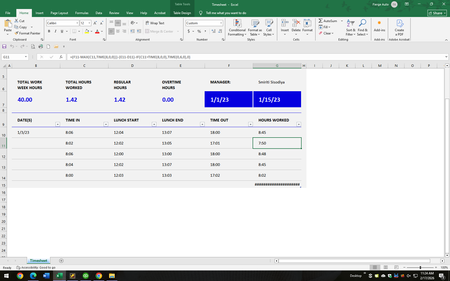
Here's a small attempt, maybe this will help you.
That calculates total hours worked with 6-minute increments (rounded to the nearest tenth of an hour).
=FLOOR(( (Clock_Out - Clock_In) - (Lunch_Out - Lunch_In) ) * 24, 0.1)
Example Breakdown:
- Clock_In: 8:00 AM (0.3333 in Excel)
- Lunch_Out: 12:00 PM (0.5)
- Lunch_In: 1:21 PM (0.55625)
- Clock_Out: 5:00 PM (0.70833)
Calculation:
=FLOOR(( (0.70833 - 0.3333) - (0.55625 - 0.5) ) * 24, 0.1)
=FLOOR(7.65, 0.1)
= 7.6
Ensure cells are formatted as [h]:mm to display time correctly.

Lorenzo
Feb 20, 2026Silver Contributor
Hi NikolinoDE
Until we know how Llamaface06 wants to round (will we...?) in borderline cases we waste our time IMHO. That said I like your FLOOR idea
Cheers
Lz.