Forum Discussion

MPulse4
Feb 06, 2023Copper Contributor
Summarize list based on value?
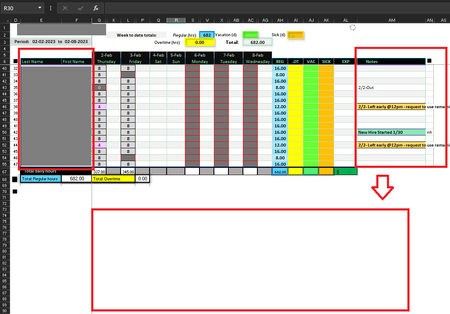
Please advise me on how to create a a summary in the red box area with only names that contains unblank notes. Any help would be much appreciated. Thank you, Monchi
 Feb 06, 2023
=INDEX(E$6:E$15,SMALL(IF($AM$6:$AM$15<>"",ROW($AM$6:$AM$15)-5),ROW($A1)))You can try this formula, Enter the formula with ctrl+shift+enter if you don't work with Office 365 or Excel 2021. In the example the formula is in cell B19 and filled across range B19:C22.
If you work with Excel 2019 or later you can apply FILTER.
=FILTER(E6:F15,AM6:AM15<>"")
OliverScheurich
Feb 17, 2023Gold Contributor
It's not possible to customize the filtered section with color and a resizing border box. In the screenshot the FILTER function is in cell E74. You can drag the formula to cell K74 and the results are spilled in the "filter notes area".

MPulse4
Feb 20, 2023Copper Contributor
Noted. Thank you again! OliverScheurich